The easiest way to run Minecraft and FiveM servers on your own PC

Create, run and back up Minecraft and FiveM servers from one app on your PC.

Version 3.2.0 · Windows, Linux and macOS
127.0.0.1:8420
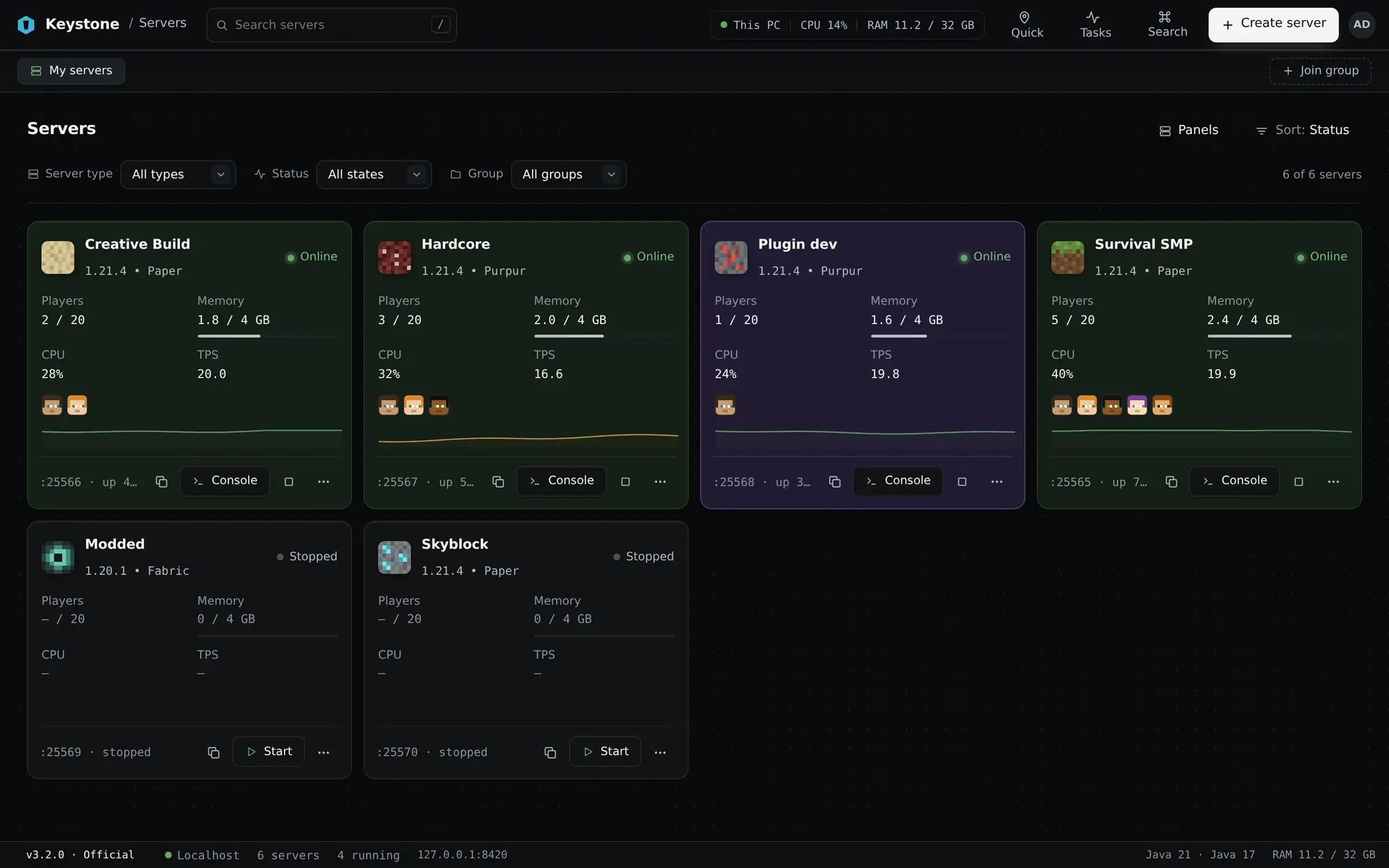
Keystone's home screen: six server cards, each with players, memory, CPU, a live TPS graph and quick actions
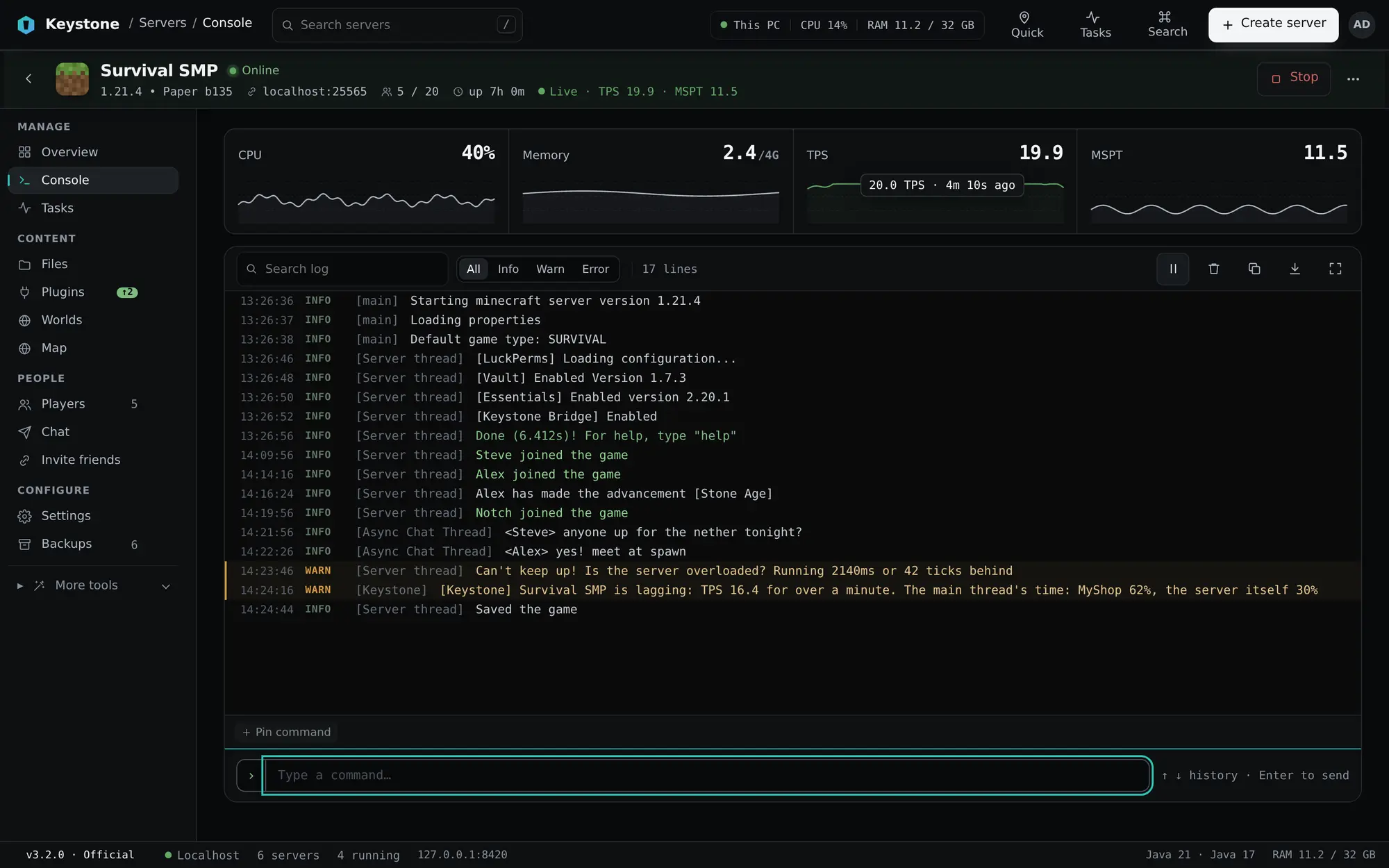
The Survival SMP console: live stats strip with TPS and MSPT graphs, colour-coded log lines, and a lag warning naming a plugin
1Live numbers from Keystone Bridge
2Hover a graph for the exact value
3The lag alert names MyShop
Console

A console that tells you what is wrong

Colour-coded logs, search, command history, and Tab completion that shows each command's signature. CPU, memory, TPS and MSPT keep five minutes of history.
Exact TPS and MSPT from Keystone Bridge, on every Paper-family server.
When TPS stays low, the alert names the plugin the server's main thread is busy in.
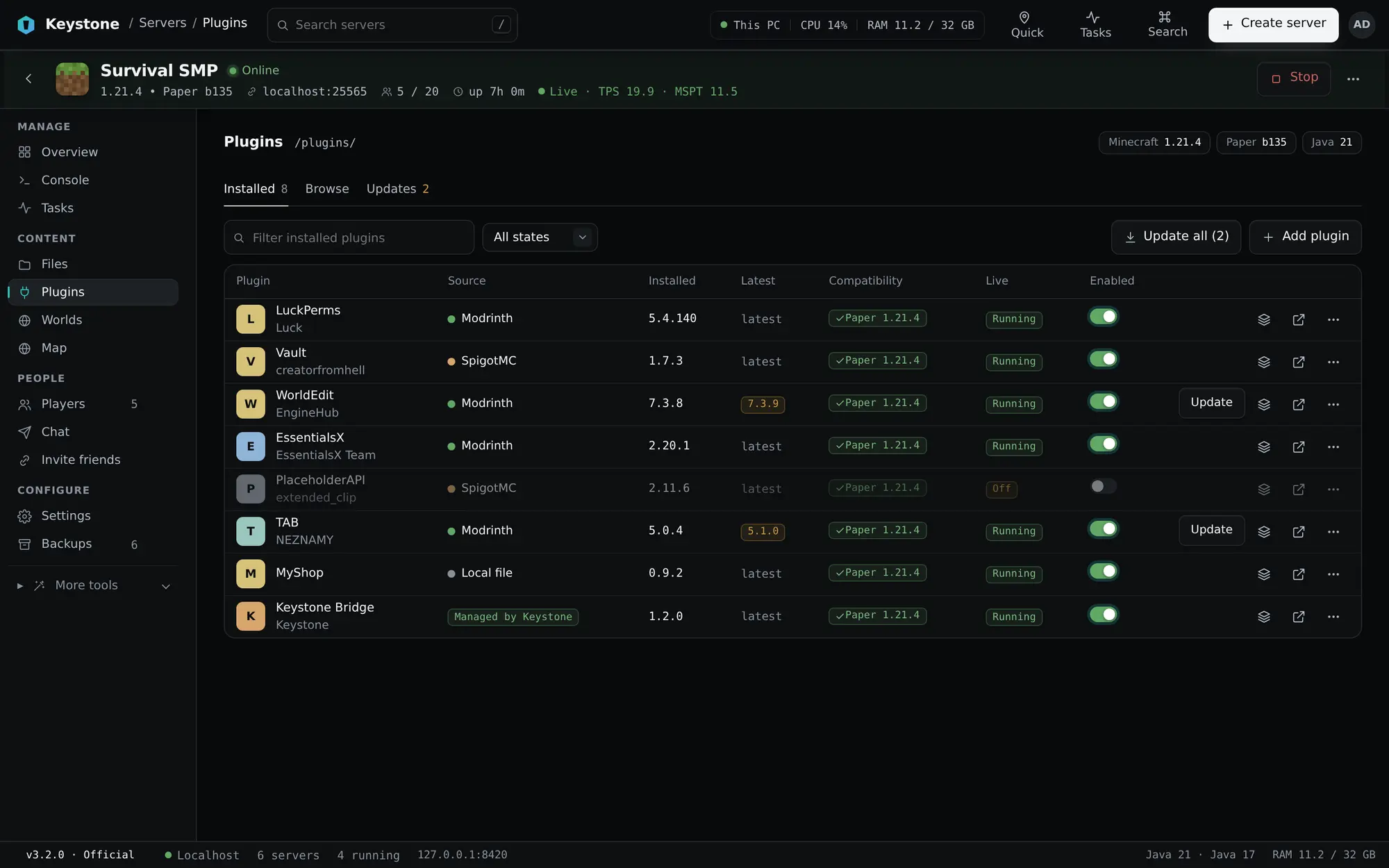
The Plugins page: eight plugins with source, version, compatibility, a Live column showing Running, Off or Not loaded, and enable toggles
1Running, Off or Not loaded
2Update them all in one go
3Managed by Keystone
Plugins

Change plugins without restarting

Turn a plugin on or off, reload one, or update them all while the server is running. Search Modrinth, SpigotMC and GitHub releases, or use CurseForge with a free API key.

Reloading a plugin also reloads the plugins that depend on it. If one fails to come back, the old versions return.
Keystone Bridge is marked as managed, so it can be switched off but not deleted by accident.
Developers

Built around a simpler workflow

Point Keystone at a Gradle project. It finds every plugin module and creates a test server for each one, plus one with all of them together. When a new jar appears, the changed plugins are reloaded in place.
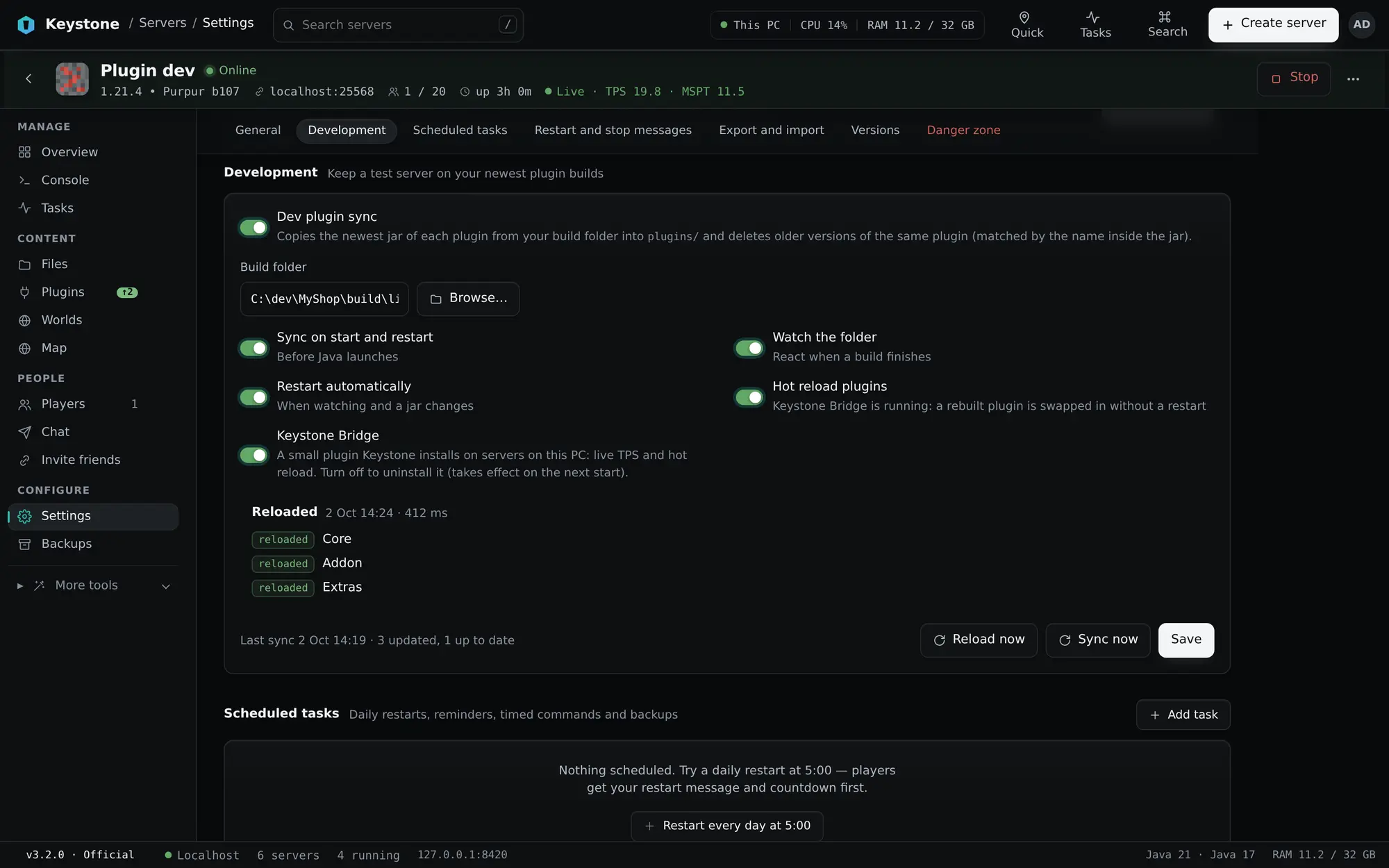
A result for every plugin, and a Restart offer when one cannot be reloaded in place.
Waits until your build has finished writing its jars before it reloads.
Development settings for the Plugin dev server: dev plugin sync, hot reload toggle, and the latest reload showing Core, Addon and Extras reloaded
1Hot reload, no restart
2A result for every plugin
3Reload on demand
The Plugins page beside it, showing the same plugins as loaded on the running server
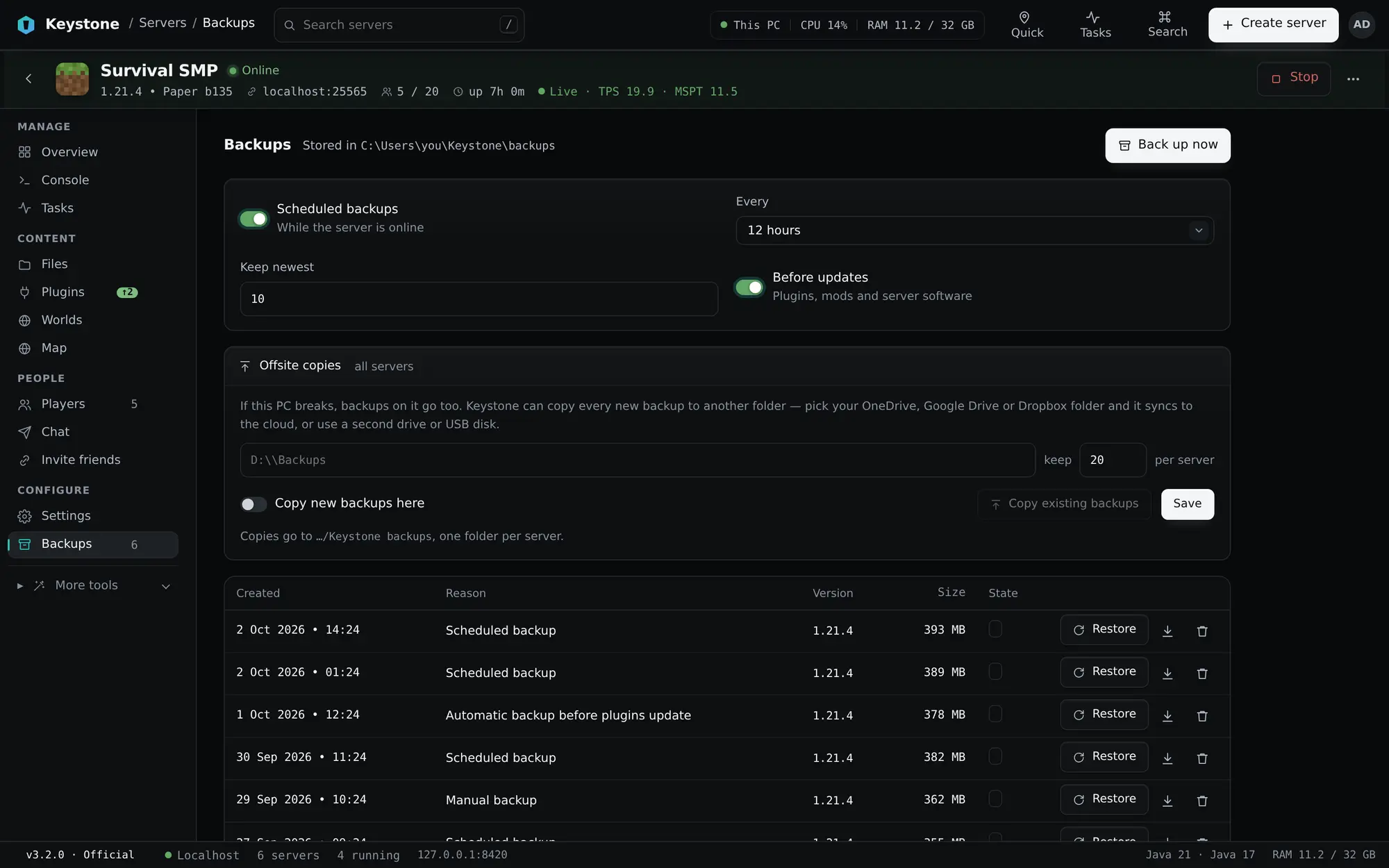
The Backups page: schedule settings, offsite copies, and a list of recent backups with restore buttons
1A backup before every update
2Offsite copies
3Restore in one click
Backups

Backups that happen before you need them

Schedule them, keep the newest ten, and let Keystone take one before every update. Autosave is paused while the world is copied, so a backup is never half written.

Restore any backup in a click, or download it as a .zip.
Copy every new backup to a OneDrive, Google Drive or Dropbox folder, or a second drive, so a broken PC does not take them too.

Minecraft and FiveM, both covered

Every Minecraft server type comes straight from its project's own site. FiveM servers come with txAdmin, opened inside Keystone.


Minecraft logo
Minecraft servers
Java Edition, from the official sources
VanillaPaperPurpurLeafFoliaFabricNeoForgeForgeMohistVelocityWaterfall
FiveM logo
FiveM servers
GTA V, with txAdmin or standalone
txAdminQboxox_libox_inventoryox_targetoxmysqlpma-voiceMariaDB
And more

Everything else a server needs

Files and an editor
Edit configs with validation, open Minecraft NBT data, look inside .jar files, and open a 10 MB file instantly.
server.propertiesbukkit.ymlpaper-global.yml
1  motd=A Keystone server
2  max-players=20
3  view-distance=10
4  online-mode=true ✓ valid
Java handled for you
Keystone finds the Java you have and downloads Eclipse Temurin when a server needs another version.
Java 8Java 17Java 21 · Temurin
Hosted servers too
Connect a Pterodactyl or Pelican panel and manage those servers next to the ones on your PC.
Survival SMPThis PC
LobbyPterodactyl
EventsPelican
Tools for your server's look
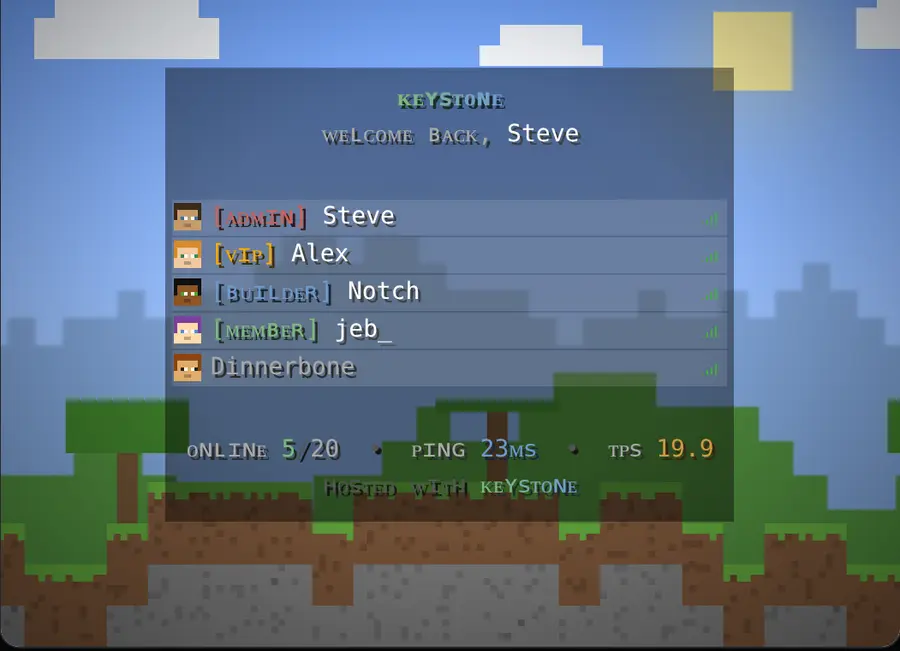
Design the MOTD, chat and tab list with a live preview, and edit the TAB plugin with changes reloaded for you.
Keystone's Tab list tool with a live Minecraft preview of the header, footer and players
Tab list
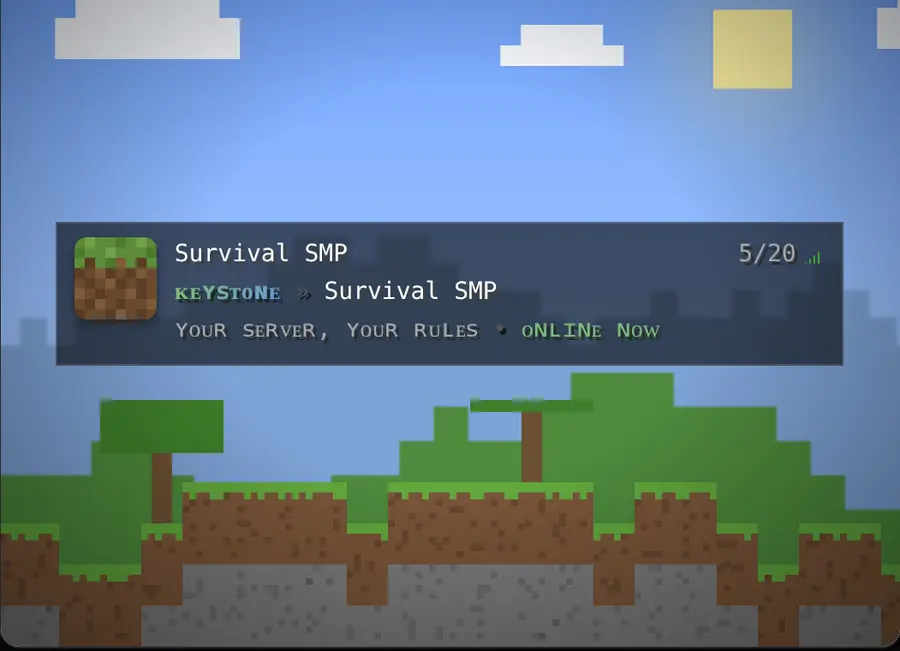
Keystone's MOTD tool previewing the server list entry
MOTD
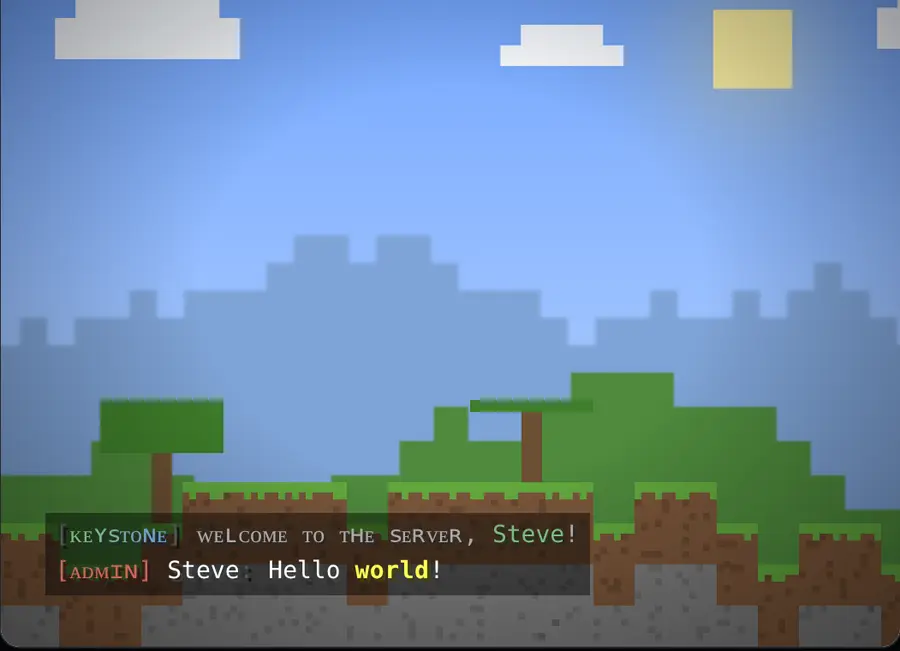
Keystone's Chat tool previewing coloured chat lines in game
Chat

Your servers stay on your PC

Worlds, files and backups live in your Keystone folder, and the interface is served from your own computer.

Official downloads only

Server software comes from Mojang, PaperMC, PurpurMC, LeafMC, FabricMC, NeoForged, MinecraftForge and MohistMC.

Checkable releases

Every release lists SHA-256 checksums, so you can confirm that what you downloaded is what was published.

Keystone
Run Minecraft and FiveM servers on your own PC.
Download Features Developers Software
Minecraft is a trademark of Mojang AB. FiveM and txAdmin belong to Cfx.re. Keystone is not affiliated with either.